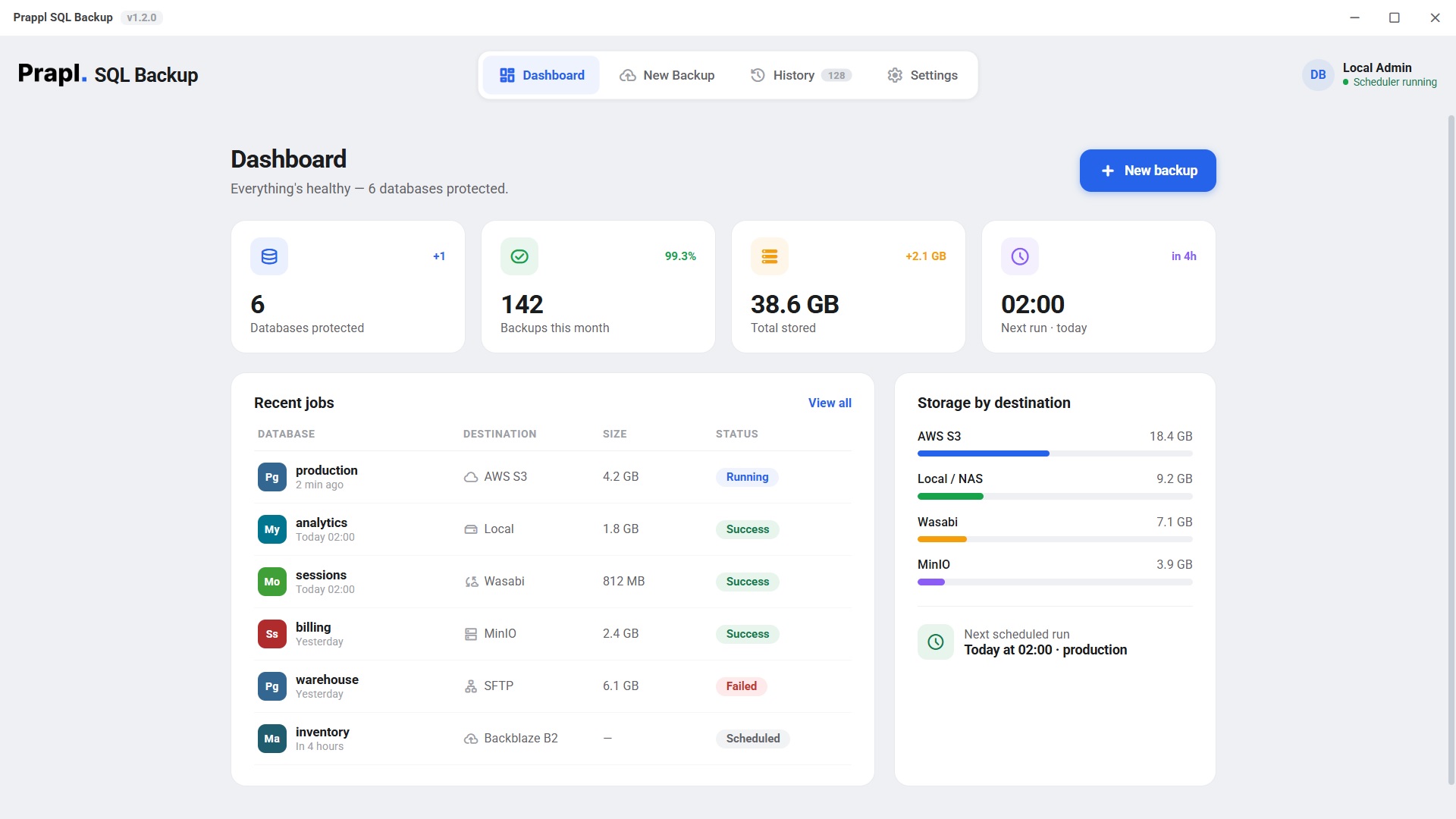
Safeguard your MySQL database with flexible backup options. Download MySQL Backup Software to create full or incremental backups, schedule backup jobs and save your database to local computer, network storage, cloud services or FTP/SFTP server. All from a single and easy to use application.
MySQL databases can be lost by everyday mistakes, hardware failures, software issues, or cyberattacks. A dedicated MySQL Backup Tool gives you a recent copy of your database, so you can recover your data quickly instead of rebuilding everything from scratch.
Data can be disappear in seconds due to hard drive failure, server crashes, power outages, corrupted database files or accidental deletion. Once important information like customer records, orders, etc. are lost without a backup, recovering them can be nearly impossible. The backup software automatically creates backup copies of your database at scheduled intervals. If your original database is lost then you can restore the latest backup and continue working with minimal disruption instead of losing years of valuable information.
Hackers, ransomware, malware and unauthorized users can encrypt, delete or modify your database. Even after removing malware your original data may already be damaged or permanently inaccessible. By storing encrypted copies in multiple locations, your backups remain protected even if your primary server is compromised. A secure backup stored separately from the production database allows you to recover data after an attack, Rather than paying ransom or manually rebuilding database, you can simply recover data from backup copy.
Moving a website or application to a new hosting provider or server always carries some risk. Files may fail to transfer completely, database imports can become corrupted or configuration mistakes may cause missing records after migration. A complete backup ensures your original database remains safe during the migration process.
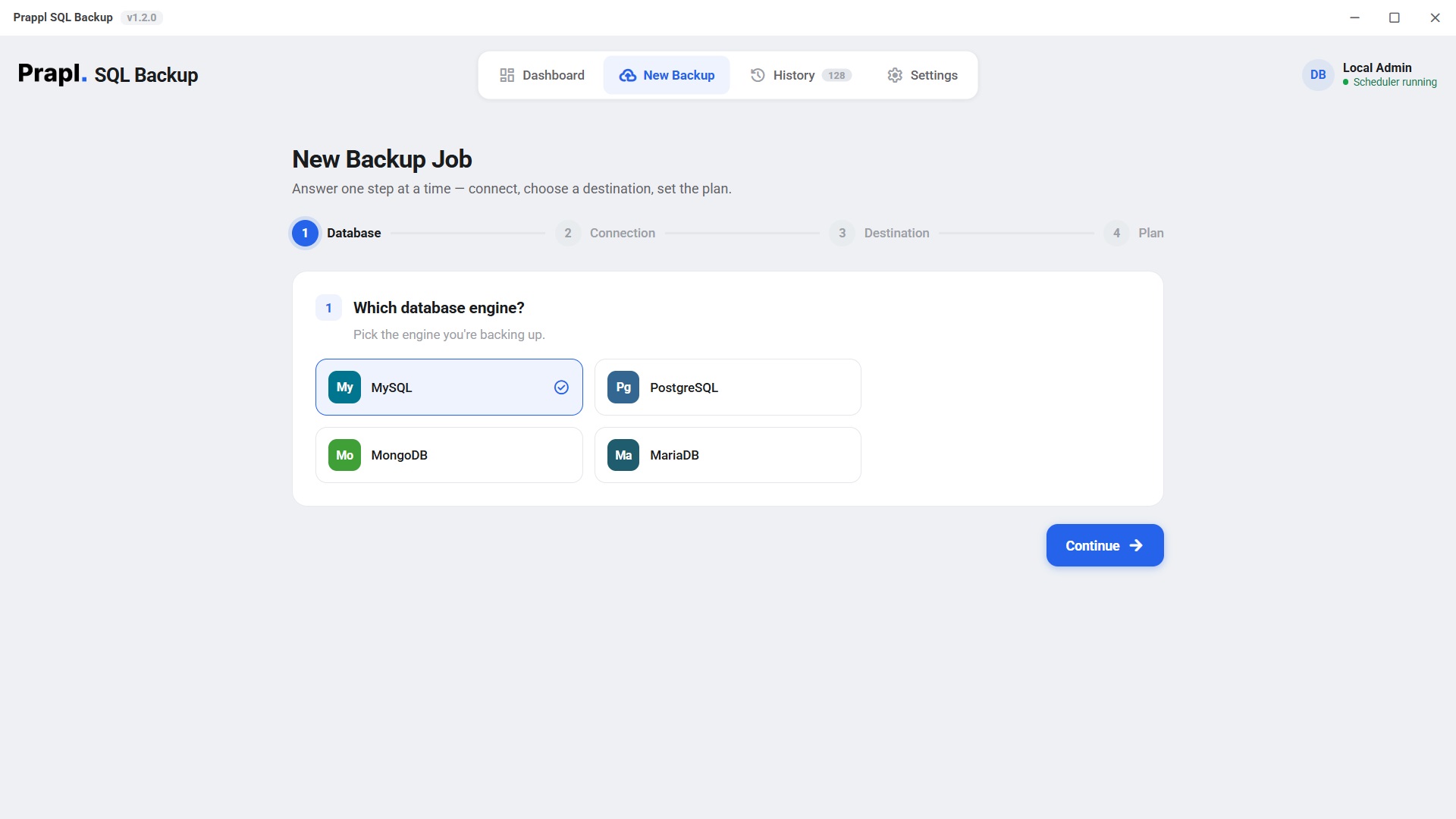
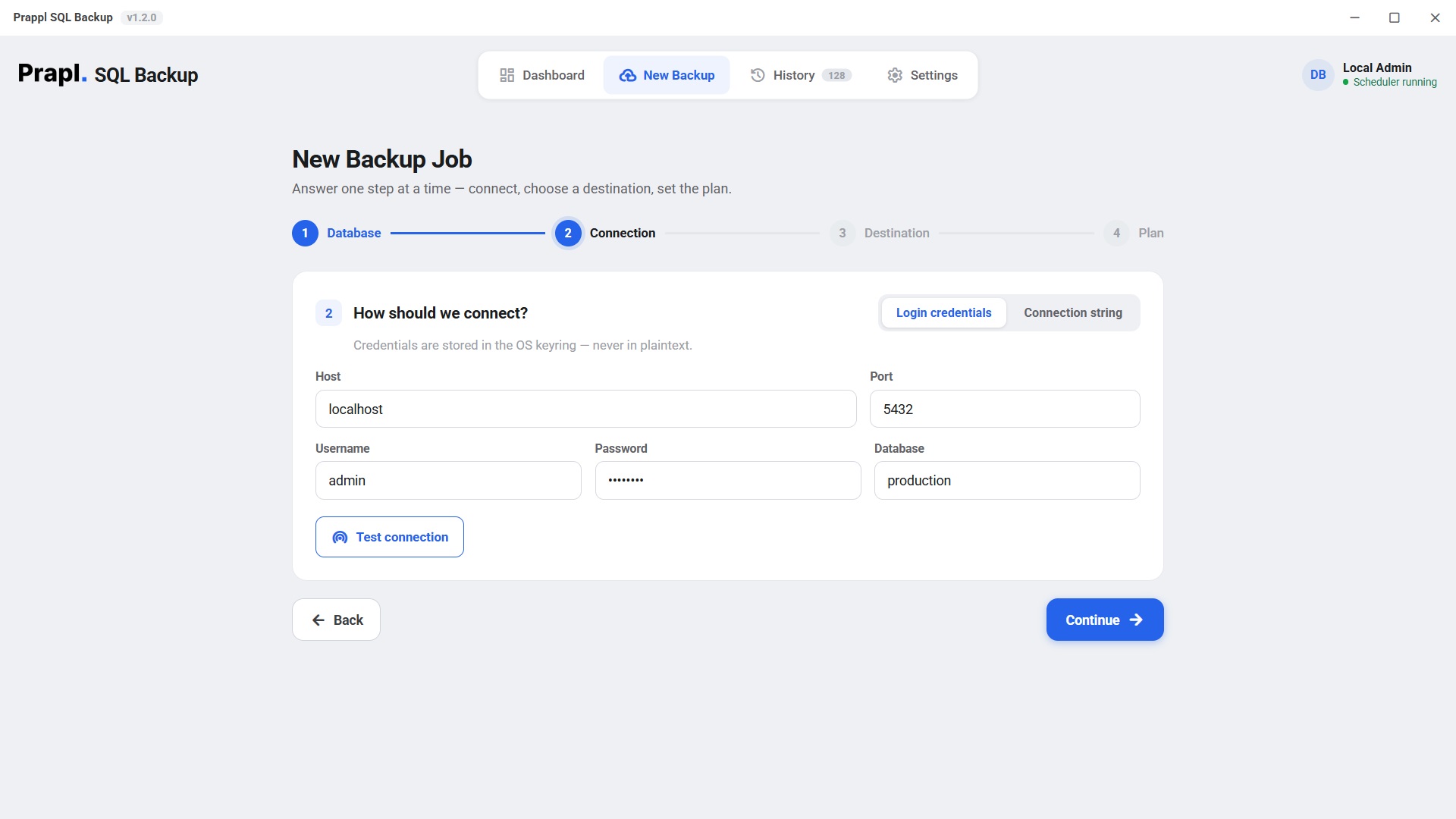
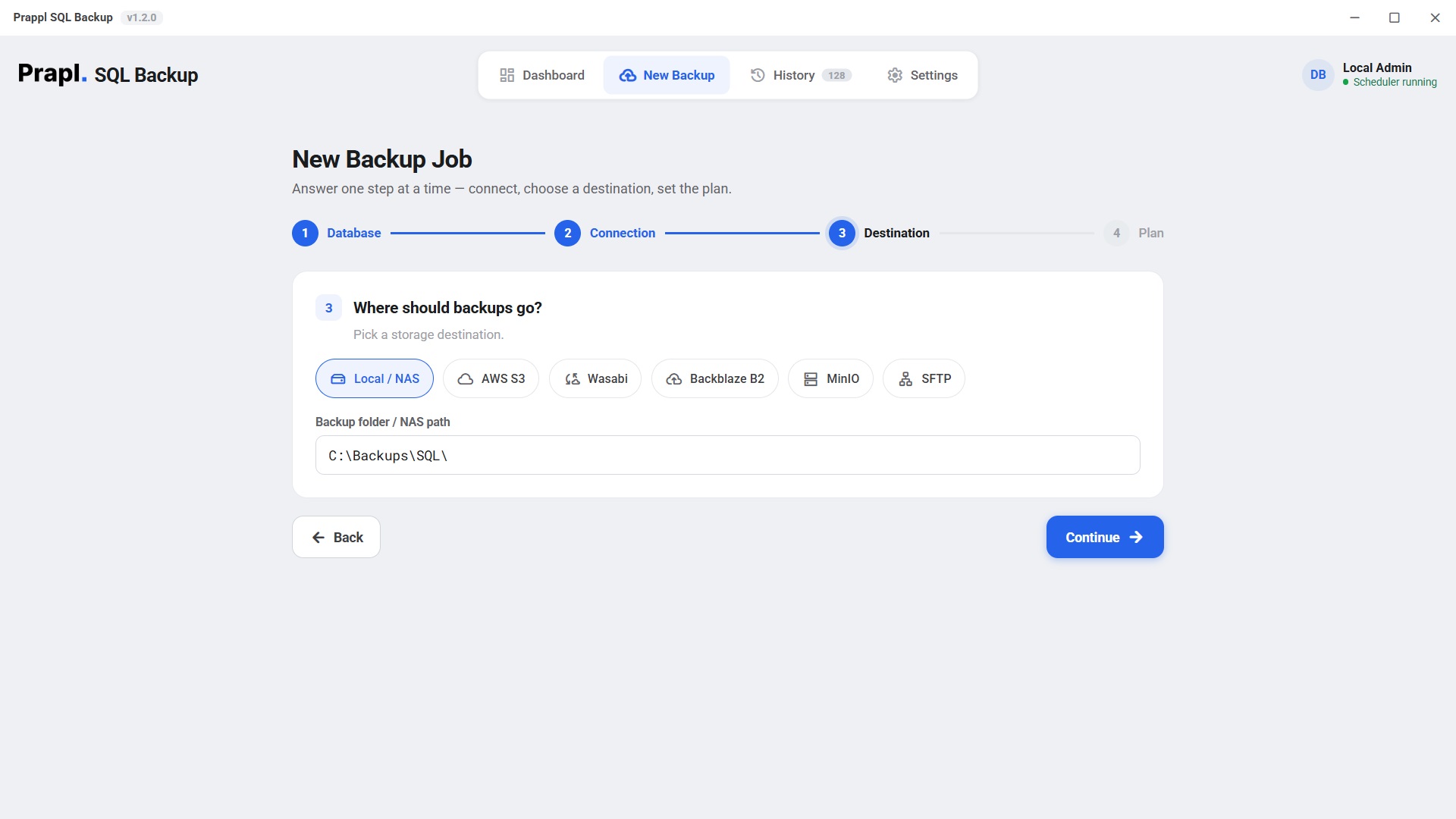
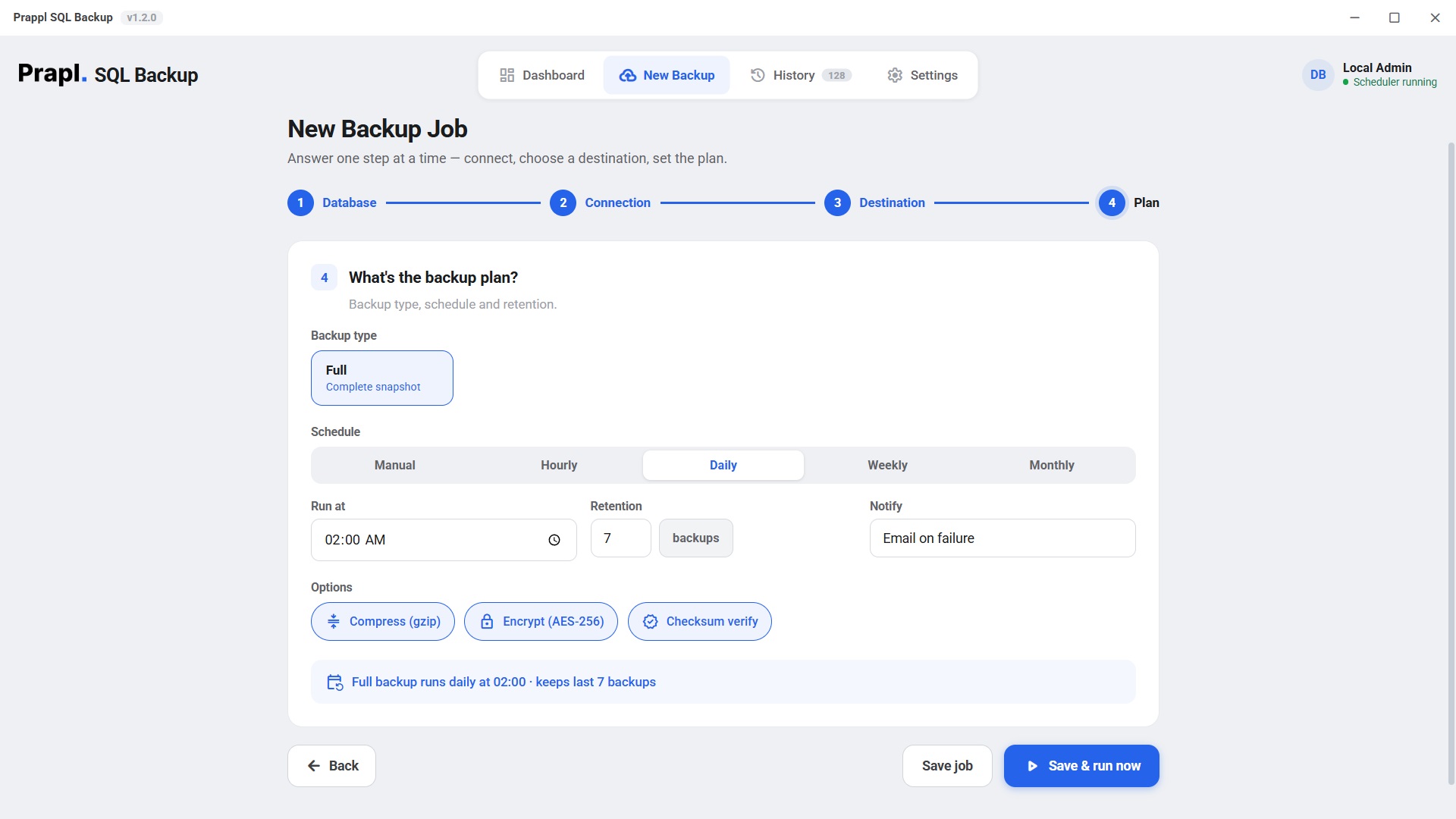
The software makes the MySQL database backup process simple and straightforward. It allows you to select your MySQL database, establish connection, choose where to save your backup and set the plan according to your requirements. It will be completed in 4 steps.
Whether your MySQL database runs on your own server, cloud platform or inside a container, the MySQL backup tool provides consistent backup experience. Simply connect to your database, the software takes care of creating secure copy without requiring manual commands.
Different situations require different backup strategies. SQL Backup Tool allows you choose between Full Backup and Incremental Backup. Full backup creates complete copy of your database including all tables, record, indexes and database object. While Incremental backup saves only the data that has changed since the last backup. Instead of copying the entire database every time, it saves only newly added or modified records. It helps to reduce backup time and save storage space.
Creating database backups manually every day is time-consuming. MySQL Backup software provides automatic scheduled backup feature to set backup schedule as per your requirements. It allows to choose how you want backups to run daily, weekly, monthly and custom schedule. Once you set plan, the software automatically creates backups at the scheduled time without requiring manual intervention. This ensures your MySQL database is always protected with up to date backup copies.
Database backups may include sensitive business information, including customer records, financial data, and application data. So to ensure that all those pieces are protected, you can run your Database Backup with our Program which will help you Encrypt Every Backup Using the AES 256 Encryption, Which Is One Of The Most Trusted Encryption Standards. If Anybody Will Get Access To Your Backup Files He Or She Can't View It Because You Will Need The Proper Encryption Key To Use Data Which Makes An Extra Layer Of Security For All Your Valuable Database.
All organizations have unique storage needs, which is why our utility offers the flexibility of storing backups however you see fit—locally on your computer or other devices such as an external hard drive or network attached storage (NAS), with cloud storage services like Amazon S3 or your own SFTP server. This enables you to make several copies of backups at different places for added data security.
You need your backups to be successful for them to actually help you out when disaster strikes. That's why we have added Backup Monitoring to constantly track each individual backup and record their statuses. You can quickly see successful backups, failed backup jobs, start and completion times and error details. It enables you to identify and resolve backup issues before they affect your ability to recover data.
Your database connection details are important as like your backup files. Instead of storing usernames and passwords in plain text files, the MySQL backup tool securely stores database credentials using your operating system secure credentials storage. It helps to prevent unauthorized access to database passwords and improve overall backup security.
Managing multiple MySQL database individually can be difficult. The software allows you to configure backup jobs for multiple databases from a single interface. Whether you manage several databases on one server or across different servers, the tool helps to simplify backup management while reducing manual work.
As new backups are created, older backup files can quickly consume storage space. The Smart Retention feature automatically manages backup history based on rules you define. You can choose to keep the last 7 daily backups, 4 weekly backups, monthly backups for one year. When the retention limit is reached, the oldest backup files are automatically removed.
Large MySQL database can produce large backup files. MySQL Backup Utility automatically compress backup files before storing them. With the compression feature, you can reduce backup file size, saves disk space and speed up uploads to cloud storage. If the files are smaller, backup storage becomes more efficient while maintain the integrity of your data.
MySQL backup moves through four automated stages. From creating the database dump to storing the encrypted backup, each step is designed to protect data without interrupting your database.
Your database backup contains valuable business information, so security starts before the backup reaches its storage location. When your MySQL backup is sent to cloud storage, S3, NAS or SFTP, it is encrypted before leaving your system. If someone gains unauthorized access to your storage location, they only find encrypted backup files that cannot be read without right encryption key.
Password is never used directly as an encryption key. The software uses scrypt key derivation to transform your password into strong encryption key. This process adds extra protection by making password guessing attempts difficult. Attackers cannot perform brute-force attacks against your encrypted MySQL backup.
Per-chunk authentication means that the backup file is divided into smaller parts (chunks) and each part is verified & secured individually. When the backup is encrypted, authentication tag is added to each chunk.
Your sensitive credentials such as MySQL database password are not stored in simple text format. As a result, your database access details protected from unauthorized users.
Your backup data does not travel through any third party server during the process. It directly moves to storage location. there is no matter, you store backups locally, on cloud or NAS, it stay under your control.
Your customers trust you with their data. Automatic MySQL backup help you recover data from accidental deletion, failed deployments or unexpected server issues. Don't have to worry about losing data when you work on developing your own product.
Every order, customer, and payment is important! Scheduled backups help prevent data loss due to updates, human errors or system failure. You can easily restore your business from backup file.
Managing database for different clients can be challenging. With our MySQL backup tool, you can keep each client's backup separate & secure. Spend less time doing maintenance tasks & more time delivering great work.
This tool will allow you to create consistent backup copies of your production database for testing, debugging, data analysis etc. So if you ever needed to get a copy of your production db this utility will help you with that.
While cloud providers promise you reliability for your data, build an independent strategy to ensure that you have encrypted copies of your MySQL database on your own storage. So you are always in control of your data.
Your MySQL server runs on VPS, Docker or your own hardware, you can easily create automatic backups. Save them to local storage, NAS or on the cloud server as per your requirement.
Users share their great experiences with this utility.
AES-256-GCM, key via scrypt, per-file salt, per-chunk nonce · secrets in OS keyringOne flat price covers every engine on the machine. Explore the others:
It's your choice, either backup database local or cloud. You can monitor the backup status online from anywhere. We offer fully functional free trial for 15 days. Download today.