Elasticsearch 7 · 8 · OpenSearch · Elastic Cloud
Back up Elasticsearch and OpenSearch indices on a schedule — mappings, settings and every document — without registering a snapshot repository or installing anything on the cluster.
Works with Elasticsearch 7 and 8, OpenSearch and Elastic Cloud, with username/password or API-key authentication. Every export is compressed and encrypted with AES-256 before it is stored on your PC, NAS, cloud bucket or SFTP server.
Search is often the first thing users touch and the last thing anyone backs up. Elasticsearch snapshots need a repository registered on the cluster and stay in the cluster’s own storage — on Elastic Cloud, in the provider’s. A wrong DELETE on an index, a failed reindex or a mapping change with no way back means rebuilding from source data, if it still exists.
DELETE /products* with a wildcard, an ingest job that recreates an index from an empty source, or an alias switched to the wrong target — the index is gone in a second. A backup from last night brings it back with the same mapping.
Single-node clusters and small deployments have no replica to fall back on. When the disk or host dies, the only copy dies with it unless an export was stored off the cluster.
Mappings cannot be changed in place, so migrations mean reindexing — and a wrong analyzer or field type is only discovered afterwards. A backup taken before the change is the rollback.
Elastic Cloud and Amazon OpenSearch Service keep snapshots in storage you do not control. An independent, encrypted export is the copy you own if the deployment is deleted, downgraded or unavailable.
Order, customer and audit-log indices often have to be reproducible for years. Retention tiers keep daily, weekly, monthly and yearly copies automatically, so history is a restore away.
Unauthenticated clusters reachable from the internet are wiped by automated attacks within hours. Encrypted backups kept off the cluster are the clean copy you restore from once access is locked down.
Everything you need to back up Elasticsearch and OpenSearch indices automatically and restore them anywhere.
Snapshots require a repository registered on the cluster and write into the cluster’s own storage — a task for an administrator, and on Elastic Cloud the repository is theirs. This tool exports over the plain REST API instead, so nothing is configured or installed on the cluster.
Each index’s mapping and settings are captured with the documents, so a restored index has the same field types, analyzers and shard configuration and searches exactly like the original. Cluster-owned settings such as uuid and allocation rules are left out on purpose.
One tool for Elasticsearch 7, Elasticsearch 8, OpenSearch 1 and 2, Elastic Cloud and Amazon OpenSearch Service. The REST calls it needs — mapping, settings, search, bulk — are stable across all of them.
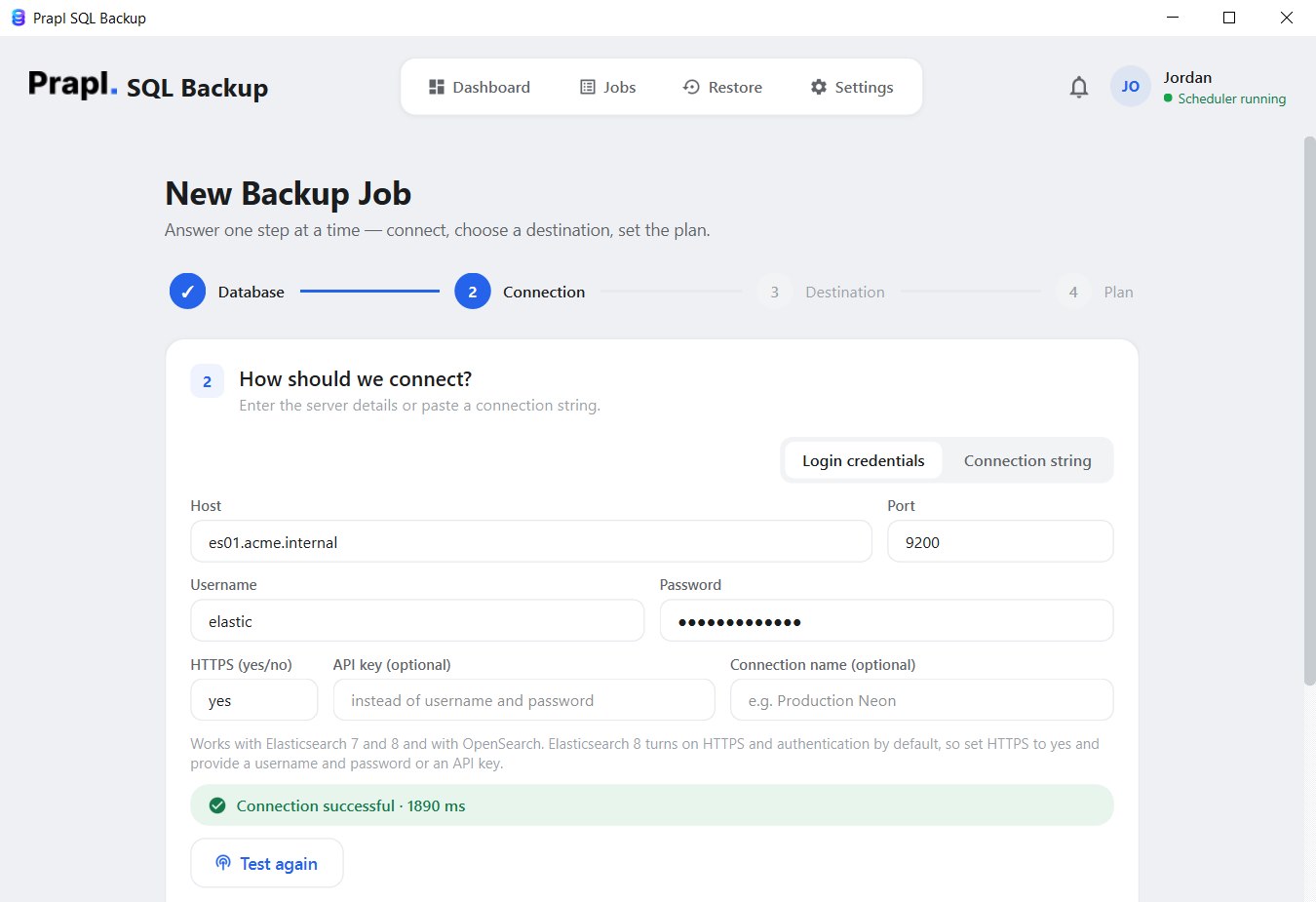
Set HTTPS to yes (Elasticsearch 8 and Elastic Cloud require it) and authenticate with a username and password or an API key. Credentials are stored in the Windows Credential Manager, never in a plain-text file.
Documents are paged out with a point-in-time search and search_after, 1,000 per request. The export sees a consistent view even while documents are being indexed, and never holds a scroll context open that could expire mid-backup.
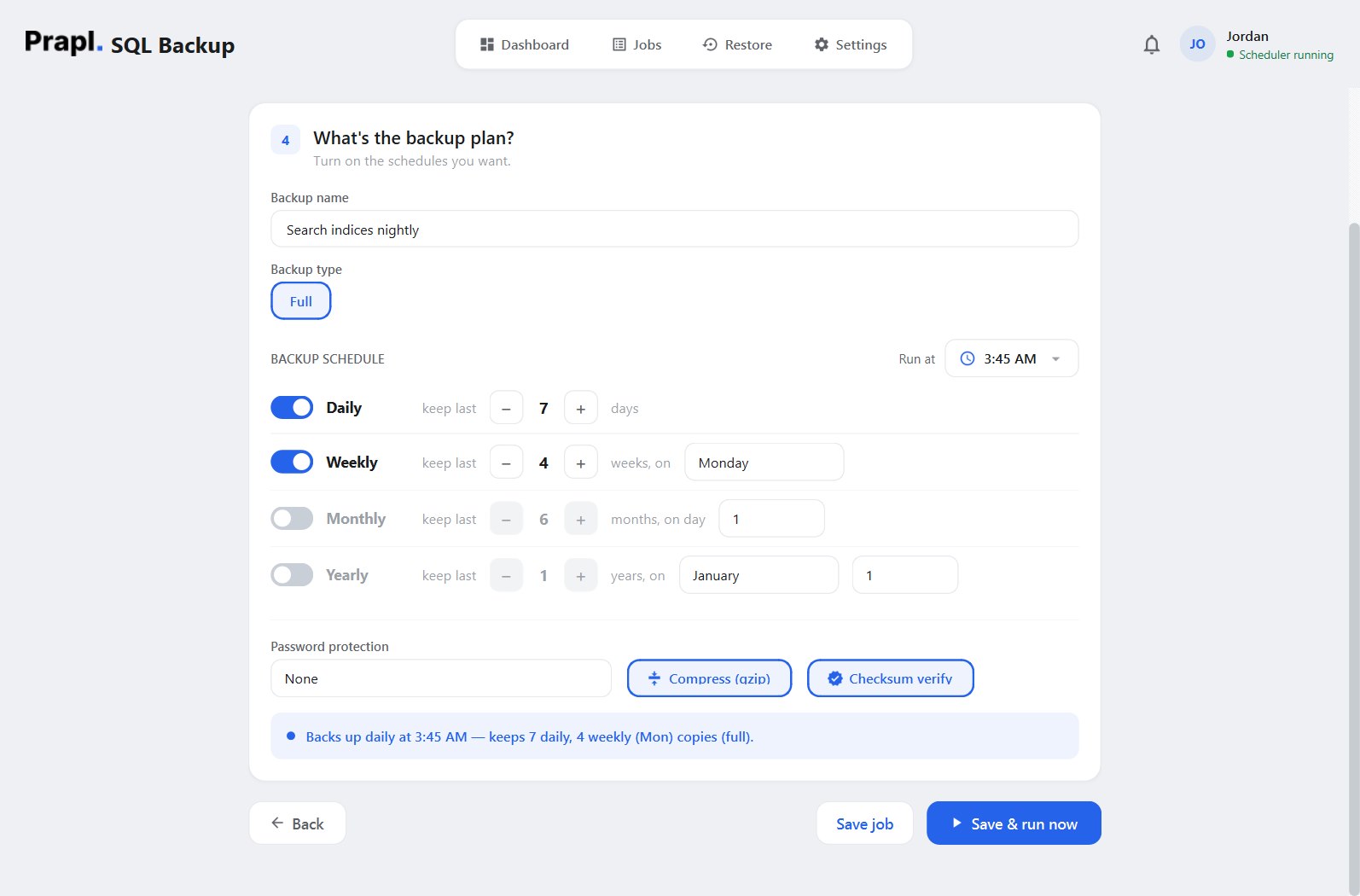
Set a run time and switch on the daily, weekly, monthly or yearly tiers you want. Each tier is also its retention: keep the last 7 daily and 4 weekly copies and older ones are pruned for you. The job runs on its own from the system tray.
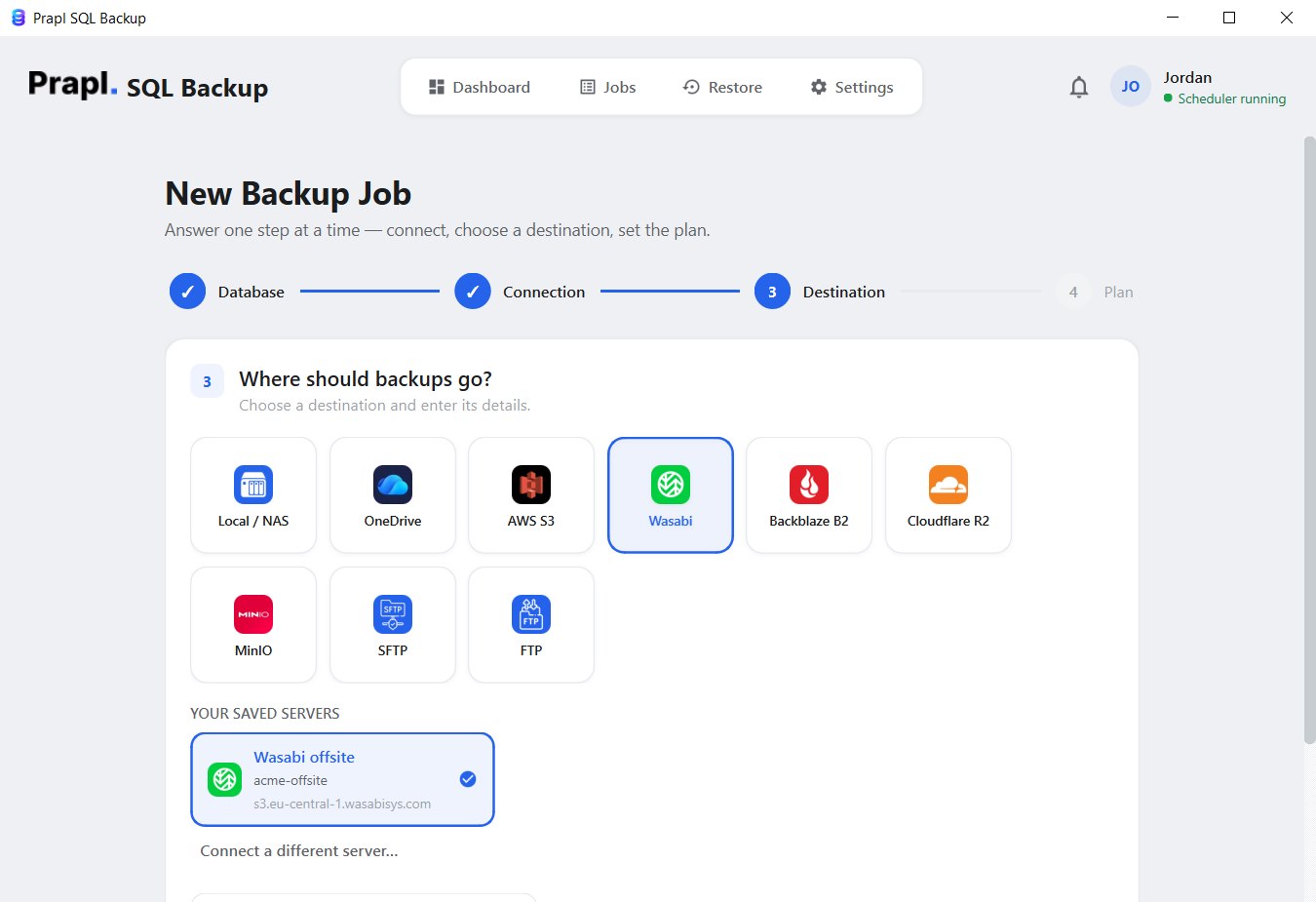
Store index backups on your PC, a NAS share, OneDrive, Amazon S3, Wasabi, Backblaze B2, Cloudflare R2, MinIO, SFTP or FTP — and add a secondary destination so every run is copied to two places.
JSON lines compress extremely well — typically 80–90% smaller — and the file is then encrypted with AES-256-GCM using a key derived from your password. Customer data in a shared bucket is unreadable without it.
Try every feature of the Elasticsearch backup software free for 15 days — no credit card, no hidden charges. If it fits, continue for just $9 per month, billed annually, with a 14-day money-back guarantee.
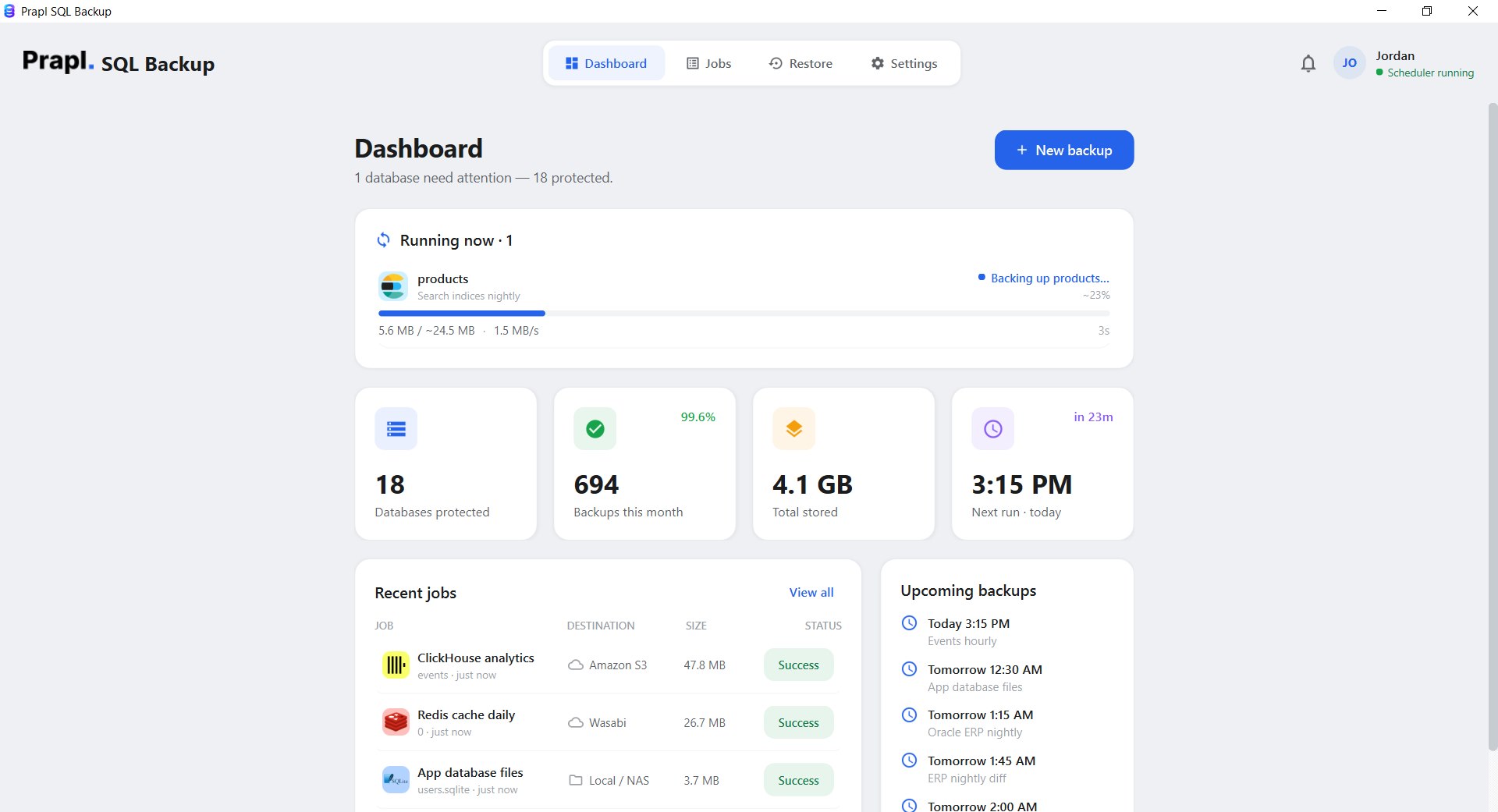
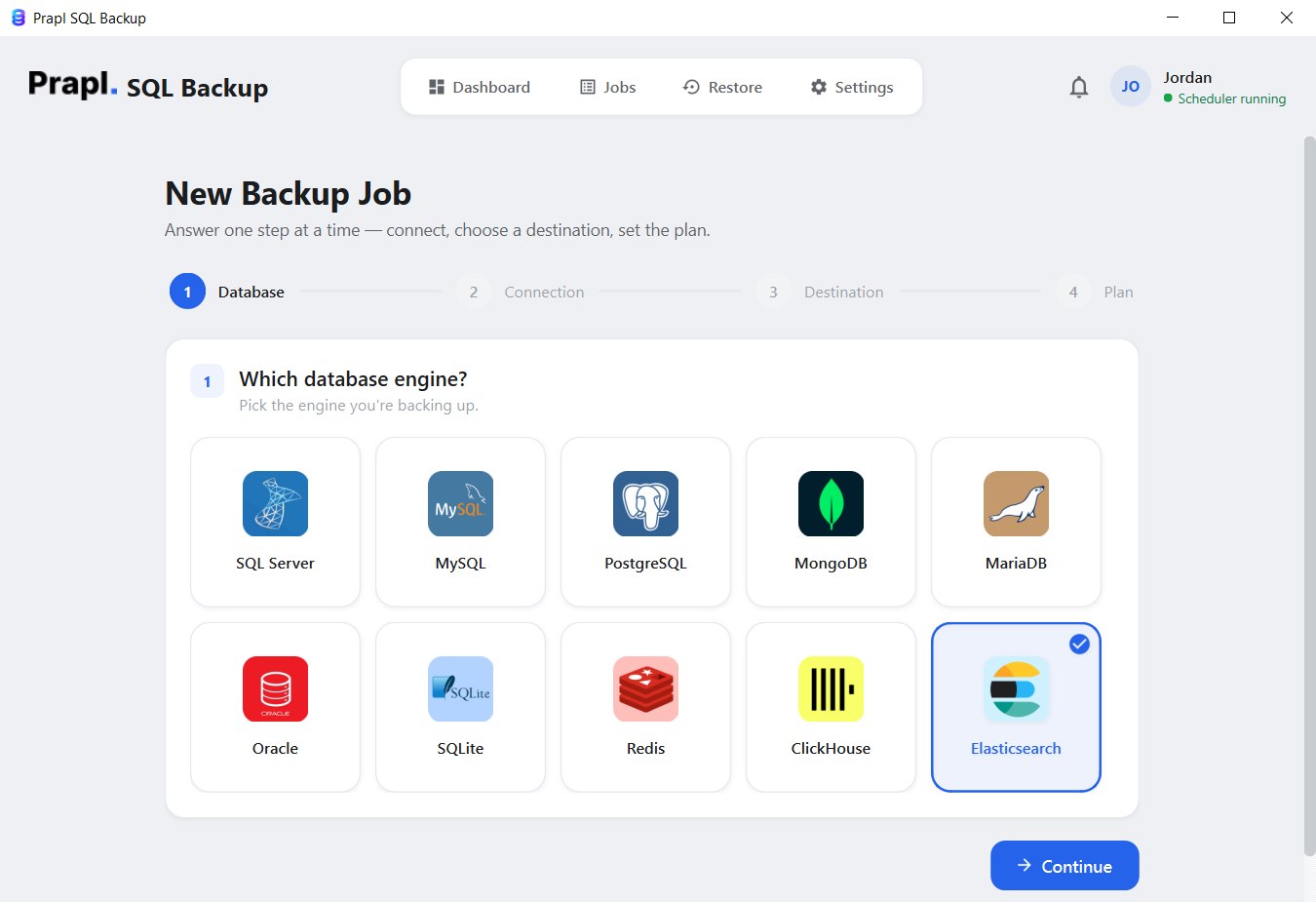
The Elasticsearch Backup Tool turns snapshot repositories and curl scripts into a four-step wizard: connect to the cluster, choose where the backup goes, set the plan, and the software handles every run from then on.
The software exports each selected index with its mapping, settings and documents, compresses and encrypts the file, and stores it at the chosen location on every scheduled run.
Connect the tool to Elasticsearch or OpenSearch wherever it is hosted — your own servers, containers, Kubernetes, Elastic Cloud or Amazon OpenSearch Service. Only the REST endpoint and a login are needed:
Elasticsearch 8 turns on HTTPS and authentication by default. Set HTTPS to yes and use the elastic superuser or, better, a dedicated user with read and monitor privileges on the indices you back up.
Elastic Cloud deployments expose an HTTPS endpoint on port 443. Paste the Elasticsearch endpoint from the deployment page and authenticate with an API key created in Kibana.
Snapshots on Elastic Cloud live in the provider’s storage — this export is the copy you own.
Self-hosted OpenSearch 1 or 2 works with the same option. Use the admin user or a role with read access to the indices, and set HTTPS to yes when the security plugin is enabled.
A managed OpenSearch domain with fine-grained access control accepts a master username and password over HTTPS on port 443. Connect from inside the VPC or over a VPN.
Elasticsearch inside a Docker container is backed up over the network — use the compose service name or the port you mapped to the host. Nothing needs to be mounted into the container.
A cluster deployed with the Elastic Cloud on Kubernetes operator is reachable through its HTTP service inside the cluster, or through an ingress or port-forward from your PC.
Elasticsearch 7 clusters often run without TLS or authentication on an internal network. Leave HTTPS at no and the credentials empty, and the tool connects the same way.
Mappings with a custom type name are handled for 7.x.
Every backup follows the same simple, secure workflow. From exporting an index over REST to storing the encrypted file, each step is designed to keep your data safe and restorable.
For each index the tool fetches the mapping and settings, then pages every document out with a point-in-time search and search_after — 1,000 documents per request — so the export sees a stable view while the index keeps changing and never holds a scroll context open. Everything is written as JSON lines into one file: the header with mapping and settings first, then the documents.
Before saving, the file is compressed in a stream, typically by 80–90% — JSON documents repeat their field names, and gzip loves that. It is never loaded into memory as a whole, so a large index is handled with the same small footprint as a tiny one.
After compression the backup is encrypted with AES-256-GCM, using a key derived from your password with scrypt. Every 64 KB chunk gets its own nonce and authentication tag, so tampering is detected and the file is unreadable without the key.
The encrypted file is uploaded to your chosen destination (and to the secondary one, if set), verified by checksum, and logged. Retention tiers delete outdated copies automatically so storage never fills up with files nobody needs.
The app runs this for you — there is nothing to type.
Recovering an index takes four steps in the app: choose the job, choose the point in time, choose what to do with it, review. The tool downloads the file, decrypts it, decompresses it, recreates the index from the saved mapping and settings (cluster-owned settings such as uuid and allocation rules are left out on purpose), then bulk-loads the documents with _bulk — into the original index name or a new one, on any Elasticsearch or OpenSearch cluster you can reach. Press play to watch every step.
Restore into products_v2 first, compare a few searches with production, then switch the alias — a zero-downtime rehearsal that never touches the live index.
Your Elasticsearch backups contain the data your business runs on, so protecting them through the whole backup journey matters. Here, every file is compressed, checksummed and encrypted on your PC before it leaves, and stays protected while it is transferred and stored.
Your Elasticsearch credentials and connection details are kept in the Windows Credential Manager, never in a plain-text configuration file. The settings file only stores a reference to the entry, which keeps passwords out of reach of anyone browsing the disk.
When a Elasticsearch backup is created and sent to a storage location (local, NAS, cloud, SFTP), things can still go wrong on the way:
Checksum verification compares the stored file against the one that was written. If it is corrupted, incomplete or altered, the job is flagged as failed instead of quietly succeeding — so the Elasticsearch backup you rely on is one that will actually restore.
The Elasticsearch backup never passes through any of our servers. Everything happens between your machine and the storage location you chose, and the file is encrypted before it leaves. You keep full control over where your backups live and who can open them.
The Elasticsearch backup tool is a desktop application, not a hosted service — it runs on your machine and writes each backup straight to the storage you picked. Nobody charges you per gigabyte, and no copy of your Elasticsearch data ever sits on somebody else’s server.
You pay us once for the software — never for gigabytes. Point a job at a folder on your own PC or NAS and the storage costs nothing at all. Prefer the cloud? Use your own Amazon S3, Wasabi, Backblaze B2, Cloudflare R2, MinIO or OneDrive account and pay their rate directly, with no markup in between. Back up 10 GB or 10 TB — the price of the software does not move.
This is a desktop application. It runs on your machine, connects straight to your Elasticsearch server and writes the backup straight to the destination you chose. Nothing is uploaded to our servers on the way, so we never hold a copy of your data — and it is encrypted with AES-256 before it leaves, so even the storage provider only ever sees ciphertext.
Database passwords are never written into a configuration file and never sent anywhere. They are kept in the Windows Credential Manager, and the settings file only stores a reference to the entry. If you switch on the optional online monitoring, it reports job status only — name, success or failure, size and duration. Never your data, never your credentials.
| Capability | Prapl SQL Backup Tool | Other Tools |
|---|---|---|
| Backup Automation | Automatically Scheduled | Require manual setup |
| Deployment Support | Self-hosted ES 7/8, OpenSearch, Docker, Kubernetes, Elastic Cloud & Amazon OpenSearch | Limited |
| Storage Destination | Local/NAS, OneDrive, S3, Wasabi, Backblaze, R2, MinIO, SFTP & FTP | Limited storage options |
| Data security | AES-256 before the file leaves your PC | Good |
| Backup Compression | Yes | Supported but limited |
| Backup Monitoring | Dashboard, email & cloud alerts | No |
| Setup Process | Simple wizard, four steps | Complex |
| You hold the keys | Always | No |
| Storage cost | Your own storage · no per-GB fee | Often rented per GB |
Elasticsearch sits under applications where downtime and data loss have real consequences. This backup tool exists to make regular backups effortless, remove the manual steps people forget, and make sure a restorable copy of your data is always within reach when something goes wrong.
01. ExperienceYou should always know how your backups are made and protected. The Elasticsearch backup workflow is simple, documented on this page step by step, and built on Elasticsearch’s own, publicly documented interfaces rather than on anything proprietary or hidden.
02. AuthoritativenessEvery backup is made with REST APIs Elasticsearch and OpenSearch document and support: the mapping and settings APIs for structure, point-in-time search with search_after for documents, and the bulk API for restores. On top of that the tool adds streaming compression and AES-256-GCM encryption before the file reaches its destination.
03. ExpertiseYour Elasticsearch backup belongs to you, not to the software. Files are encrypted before they are stored and only your key can unlock them. The tool keeps no password and no hidden access to your backups — they remain under your control, wherever you decide to keep them.
04. TrustworthinessSQLBackup builds directly on Elasticsearch’s own, documented APIs. Verify our approach against the official docs:
search_after and point in time) — how every document is exported in stable pages.Product, catalog and content indices get a nightly, encrypted copy with mappings intact — so a deleted index or a bad reindex is an incident, not a rebuild from source.
Whether search runs on your own nodes, in Elastic Cloud or on Amazon OpenSearch, keep every index’s backups organised, encrypted and visible from one dashboard.
Backups are encrypted with your key before they leave the PC, credentials and API keys stay in the Windows Credential Manager, and nothing is uploaded to a third-party service.
Restore a production index into a staging cluster to test analyzers, mapping changes and version upgrades against real documents without touching the live cluster.
Replace curl scripts and forgotten snapshot policies with scheduled jobs, checksum verification, retention tiers and alerts for Docker, Kubernetes, VM and cloud clusters alike.
Create one job per client cluster with its own schedule and destination. Backups stay separated, encrypted and monitored in one place.
.esjsonl): index mapping and settings header followed by every document · restored with the _bulk APIAES-256-GCM, key via scrypt, per-file salt, per-chunk nonce · secrets in the Windows Credential ManagerOne flat price covers every engine on the machine. Explore the others:
Create a backup of your Elasticsearch data and save it to local or cloud storage. Download the Elasticsearch Backup Tool and use every feature free for 15 days — no credit card required. If it fits, subscribe for just $9/month with a 14-day money-back guarantee.