 Abeer Arora
 Why back up your entire SQL Server database when only a portion of the data has changed? A growing SQL Server database can make regular full backups time-consuming and storage-heavy. If the database changes frequently, backing up the entire database every time may not be the most practical approach.
This is where incremental backup comes in. Instead of repeatedly copying the entire database, an incremental approach focuses on capturing changes, helping reduce the amount of data that needs to be backed up during each run. Now, let’s learn how to take an incremental backup in SQL Server.
What Is an Incremental Backup in SQL Server? Benefits?
An incremental backup captures changes made after an earlier backup point, rather than creating another complete copy of the database backup.
- Less data to process: As soon as the database grows, the backup files grow too. In short, large databases mean large backup files. Therefore, just capturing the recent changes rather than copying everything can reduce the amount of data handled during individual backups.
- Potentially shorter backup windows: If you only focus on the recent changes of the databases, backing up the smaller databases will take less time.
- Lower storage consumption: When your business database updates regularly, backing up the full database will eventually take more storage. On the other hand, a change-based backup strategy can control backup storage requirements. You won’t need to maintain multiple backup files for every backup.
- More frequent backup opportunities: Moreover, you don’t have to run the entire full backup again and again. You will eventually be able to run more backups frequently.
- Less impact on production workloads: In fact, incremental backups impact production workloads less. Processing less data can help your business reduce the resources required for backup operations.
- Easier management of growing databases: Because of creating the backups of recent database changes, it becomes easier to manage them as the database grows.
- Easier cloud backup: Storing only the smaller backup sets to cloud storage can reduce transfer requirements.
When Should You Consider Incremental SQL Server Backups?
Incremental backups can make sense when:
- Your SQL Server database is large.
- Data changes frequently in SQL Server.
- Full backups take more time when processing the backup job.
- Backup storage is growing quickly because of the large SQL Server database.
- You need frequent backup points instead of creating full backups every time.
- Need to reduce the amount of SQL Server database backup data transferred to remote storage.
- Or, your business maintains multiple databases or SQL servers.
However, the right incremental backup job completely depends on the database size, change rate, RPO, RTO, or other reasons.
How To Take an Incremental Backup in SQL Server via a Tool?
If you are wondering how often to take an incremental backup in SQL Server, the ideal frequency depends on how quickly your database changes and how much data your business can afford to lose.
With Prapl SQL Server Backup Tool, you can easily manage and take incremental backups of your SQL Server database. With this software, you can manage backups by scheduling SQL Server database backups.

Using this one application, you can also create SQL Server database backups without Management Studio. Just schedule them, check your storage availability, and you’re good to go. Download its free version today and try it yourself.
How Prapl Helps You with Incremental SQL Server Backups – Steps
Download and connect to your SQL Server from the available engines. Then, from there, select your database and choose the database you want to create a backup of.
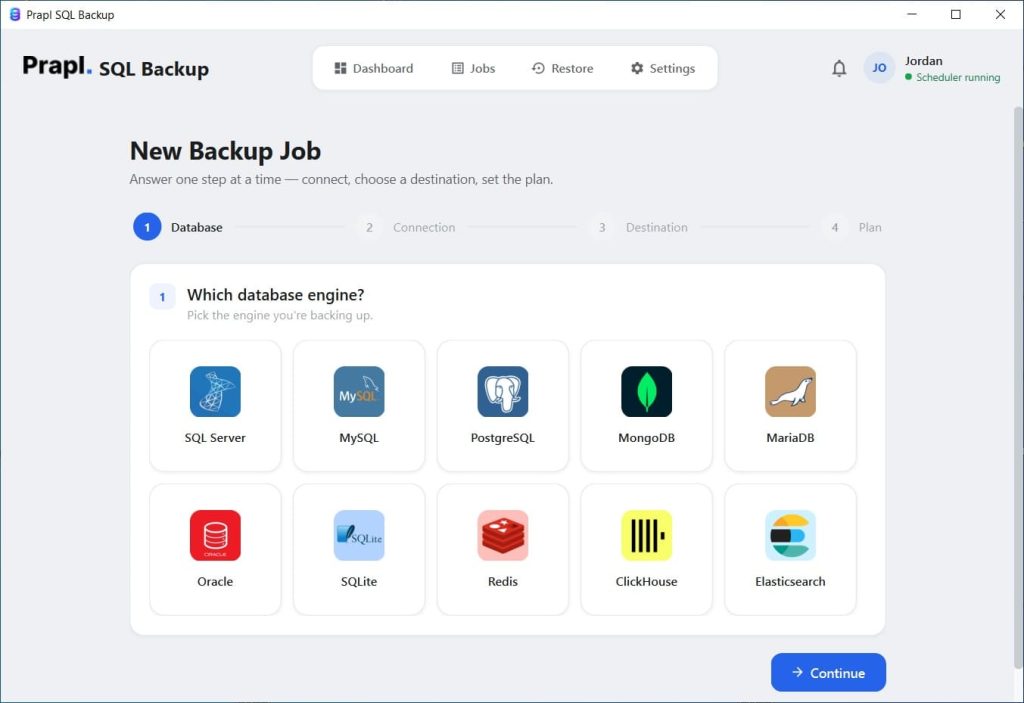
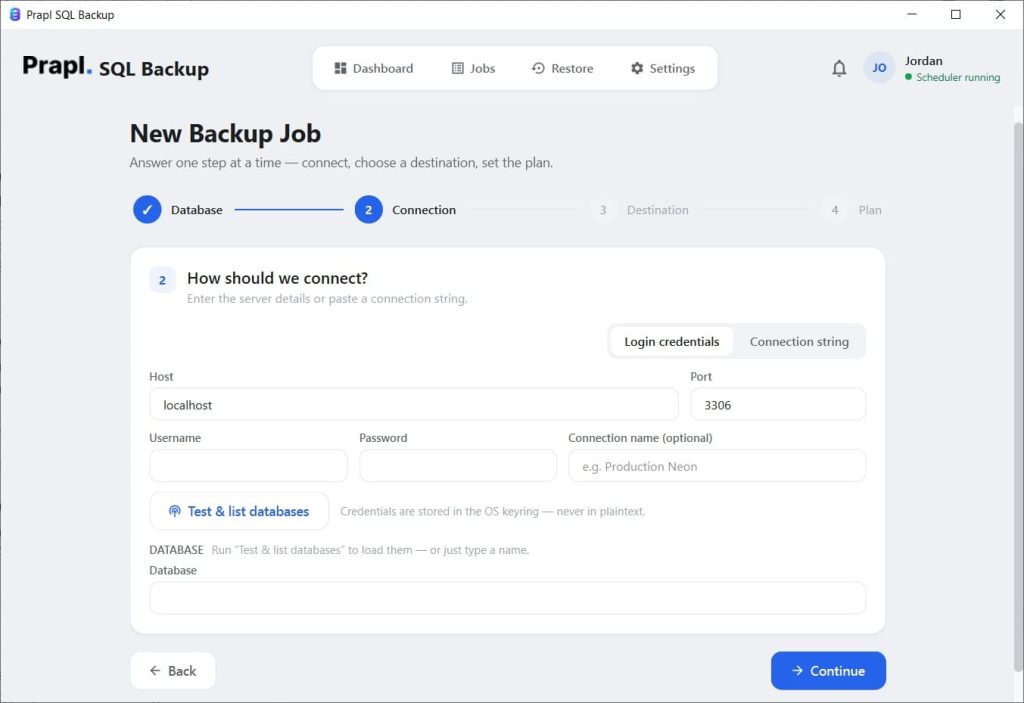
Log in with your appropriate credentials and tap Continue.
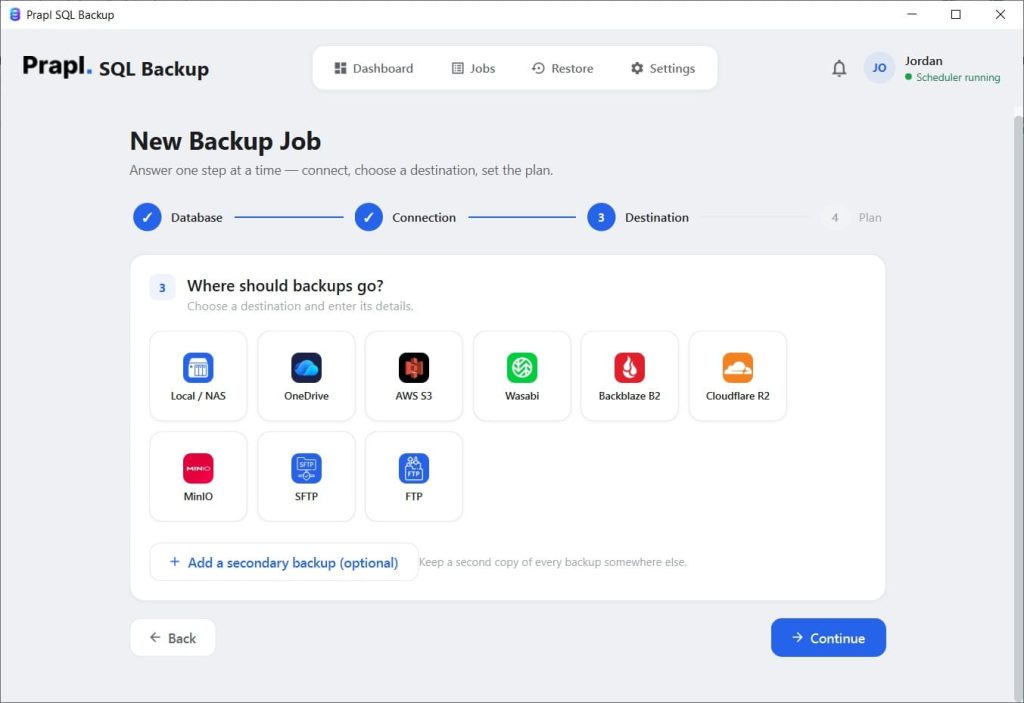
Now, select your backup destination for the incremental backup and configure the scheduling as needed. Then, decide how long backup copies should remain available and protect the backup data with encryption.
In the final step, click the Save and Run Now button, and the tool will initiate your incremental backup job.
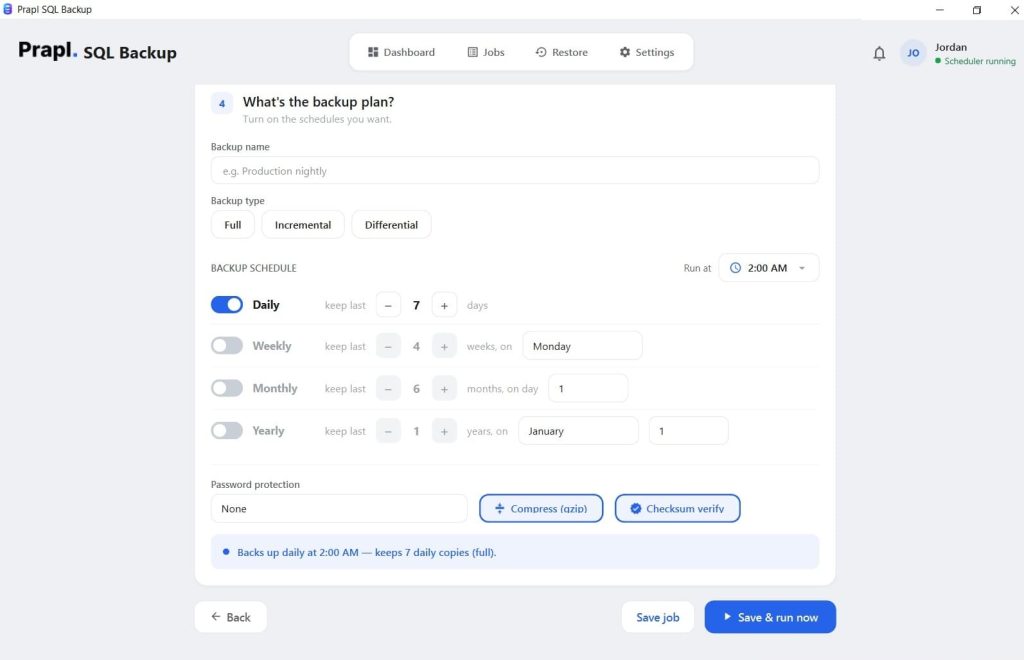
Features or Benefits of Using the Prapl for Incremental Backup
- Windows desktop application: Firstly, this is a Windows desktop application that allows you to create an incremental backup of SQL Server in just a few steps.
- Supports SQL Server without repeating full backups: With this tool, you can easily choose between full and incremental SQL Server backups, so that you won’t need to create a complete copy of the database for every backup job.
- Scheduled backups: Moreover, you can simply schedule your backups hourly, monthly, daily, or just customise the process as needed.
- Different storage destinations: Need to save the backup copy locally or to some cloud destination? It supports both. You can take an incremental backup of a SQL Server database and store the backup copy on your PC or Amazon S3, OneDrive, etc.
- Retention management: Keeping every backup indefinitely can quickly consume storage. Prapl lets you configure retention policies so older backup files can be removed according to your requirements, helping keep backup storage organized.
- Email alerts: You can even get notified of the completion of an incremental backup with its built-in email alert function.
- Compression: If your business has a large SQL Server database, then with this Prapl MS SQL Server backup tool, you can compress the backup file.
- AES-256-GCM encryption: SQL Server backups may have sensitive business information, so protecting the backup files matters just as much as creating them. Prapl supports AES-256-GCM encryption to help protect backup data when it is stored locally or in remote storage.
- Restore functionality: Creating an incremental backup will only be useful if you can restore the data at the time of production data loss. Hence, with this application, a restore workflow that can locate the required backup, download it, decrypt and verify it.
Conclusion
Making a full backup every time might not always be the best course of action as SQL Server databases expand and change more regularly. While making it simpler to maintain frequent backup points, an incremental backup method can assist in minimizing the volume of data processed during routine backup operations.
But selecting a backup type is only one part of a dependable backup plan. Scheduling, storage, retention, security, monitoring, and recovery are other factors to take into account. To ensure that your backups are available when you really need them, they should be stored securely, routinely checked, and tested.
Prapl software helps to create incremental backups in SQL Server and manage them as required.