 Abeer Arora
Running a small business? Are you unsure about the type of database backup and restore software for small businesses? Or dealing with a loss of your small business data because of ransomware? In the name of backup, are you just keeping a USB drive? Don’t worry, you’re not alone in this.
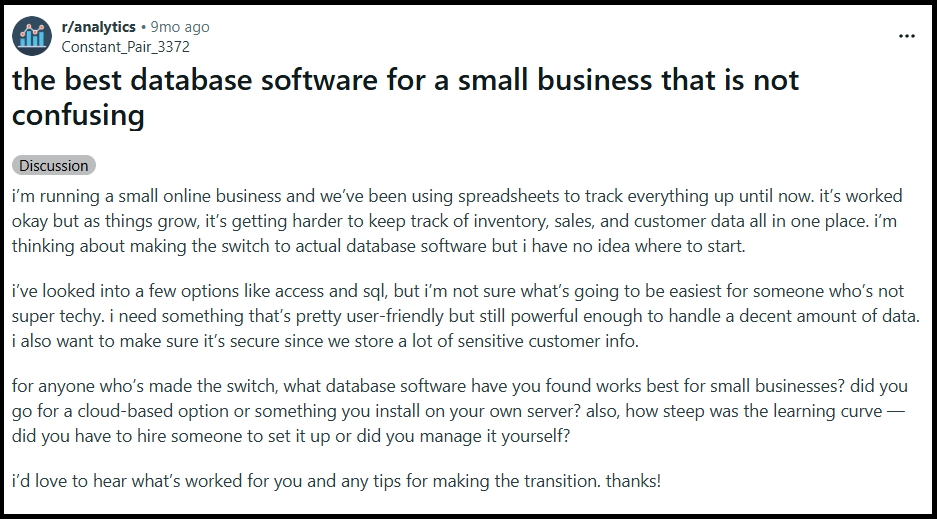
Let’s be honest, a database doesn’t have to be huge to be important. For a small business, a single database may contain customer records, orders, inventory, financial information, or other data the business relies on every day. If that database becomes unavailable or is lost, the impact can be much bigger than the size of the business suggests.
Therefore, choosing the right database backup software for small businesses matters. Many small businesses still use outdated backup solutions/methods to protect their data, which is not feasible. Thus, the right solution should make it easy to create regular multiple database backups, store them safely, and restore them whenever needed.
This guide breaks down exactly which solution is better, what worked, and how to automate backups without writing scripts and complicated processes.
Why Do Small Businesses Need Database Backup Software?
Small businesses can be particularly vulnerable because they may not have:
- Dedicated IT administrators
- Multiple backup systems
- Large disaster-recovery budgets
- Someone monitoring backups every day
Because of fewer available resources, there are high chances of:
- Accidental deletion: Someone from the non-IT department deletes or modifies important information without a clue.
- Hardware failure: A small business may experience data loss because the server or storage device stops working.
- Database corruption: The database becomes damaged or unusable due to any mishap.
- Cybersecurity incidents: A security incident can make production data unavailable or compromise its integrity.
- Human error: Incorrect updates, configuration changes, or migrations can create data problems.
Therefore, database backup acts like a saviour in such a situation for a small business. As it gives the business another copy of the database that can potentially be used for recovery.
What Should Small Businesses Look for in Database Backup and Restore Software?
Before going and selecting any software blindly, a small business should keep these things in mind:
- Automated scheduling: The software should allow recurring backups so the business doesn’t have to rely on someone remembering to create them.
- Easy setup: Small businesses may not have an IT specialist available to configure complicated backup infrastructure. The interface should be understandable and practical.
- Multiple database support: If the business manages several databases, it should be possible to manage their backups without creating a completely separate manual workflow for each one.
- Backup types: While considering software features, check if it allows for full, incremental, or differential backups depending on the frequency of backup.
- Flexible storage: Also, look for storage options such as local PC, network storage, cloud, remote server, SFTP, or some other reliable destinations.
- Retention: Make sure the software helps manage older backup copies. Because you don’t want to pile up the old data.
- Backup history: Small businesses should be able to see whether backup jobs completed successfully or not.
- Notifications: Moreover, it is useful for knowing when something goes wrong while backing up the data.
- Restore capabilities: This is a crucial factor to consider. Don’t just evaluate software by asking if it can create a backup. But also focus on how easily I can get my data back.
Manual vs Automated Database Backups
| Manual Backup | Automated Backup |
| Someone initiates each backup | Backups run as per a schedule |
| Higher chances of missed backup | More consistent and reliable |
| Requires repetitive work as per backup | Less manual involvement |
| Simple for sporadic backups | Better suited to recurring backups |
| Harder to handle on a large scale | Easier to manage multiple databases |
Manual backups aren’t necessarily wrong for every small business out there. An occasional manual backup might be sufficient if database changes are infrequent. However, when data changes every day, automation can greatly simplify the maintenance of the backup procedure.
What Are Local vs Cloud vs Remote Backup Storage?
After scheduling a backup, deciding the storage location plays an important role. However, the backup storage destination can vary from business to business. There are three particular types of storage where you can keep your database backup:
Local backup:
Advantages: It is easy to access, has a simple setup, and you and your team are familiar with it; a local backup gives you direct control over the data.
Problem: If the computer or server holding both the live database and backup fails, you may lose access to both. And most of the small businesses don’t want to go through with this.
Cloud backup:
Advantages: Cloud backup storage gives you a way to keep the data remotely, can provide geographic separation, and it can be accessible without relying solely on local hardware
Problem: You have to consider the database security, access controls, storage costs, and the provider’s infrastructure carefully.
Remote server/SFTP: It is useful for businesses that already maintain another server or infrastructure. However, the choice depends on your business’ requirements and the level of control you want over your backup environment.
How Do Database Restore Work for Small Businesses?
Any backup is created for one reason, i.e RECOVERY.
In simple words, whenever something goes wrong and results in data loss. Then, the recovery process generally involves identifying a suitable backup, restoring it, and checking if that restored data is usable.
The database system and backup technique being used determine the exact procedure.
For instance, restoring a complete backup is not the same as restoring a backup strategy that consists of a full backup followed by several incremental or differential backups.
For this reason, when selecting database backup software, restore capabilities should be taken into account.
Moreover, periodically testing restoration is also a good idea.
A “successful” backup job is insufficient on its own. You should be aware that recovery is possible with the backup files that are produced.
Reliable Automated Solution for Backing Up Small Businesses’ Data
To ease the task, Prapl SQL Backup Software offers a Windows desktop-based approach for small businesses. It will help your business back up its database without requiring you to write any technical code.

An offline desktop solution can enable the backup process to function directly between your environment and the chosen storage location, in contrast to online services that route data through a provider’s intermediary infrastructure.
Businesses that would rather not use a third-party provider to transport database backup data could favor a solution that allows them direct control over the backup path.
Who is this software for:
- Small businesses without dedicated IT teams: They may want something easier to manage than custom scripts.
- Businesses managing multiple databases: This automated software reduces repetitive work and enhances productivity.
- Organizations that need scheduled backups: Moreover, this tool is quite useful when backups need to happen at fixed intervals.
- Businesses that want local control: It is relevant if the organization prefers keeping backup files within its own environment. It offers multiple storage locations, including local and cloud destinations.
Steps to Use Database Backup and Restore Software
1: Install and open SQL Backup Tool; select the database(s).

2: Select your backup storage location, local PC or cloud.
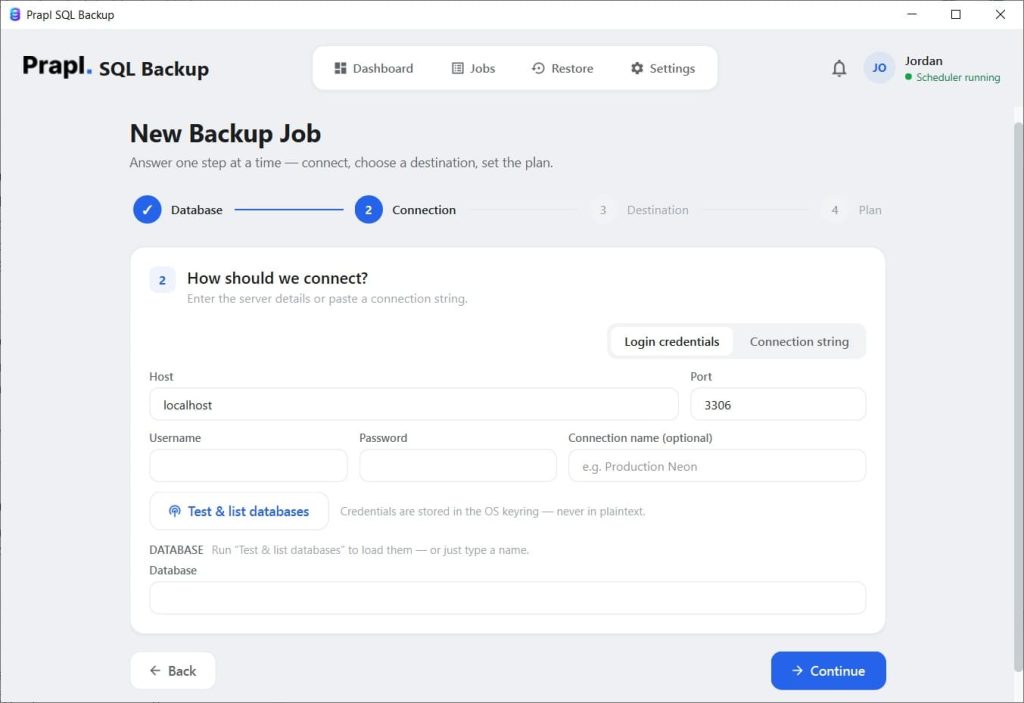
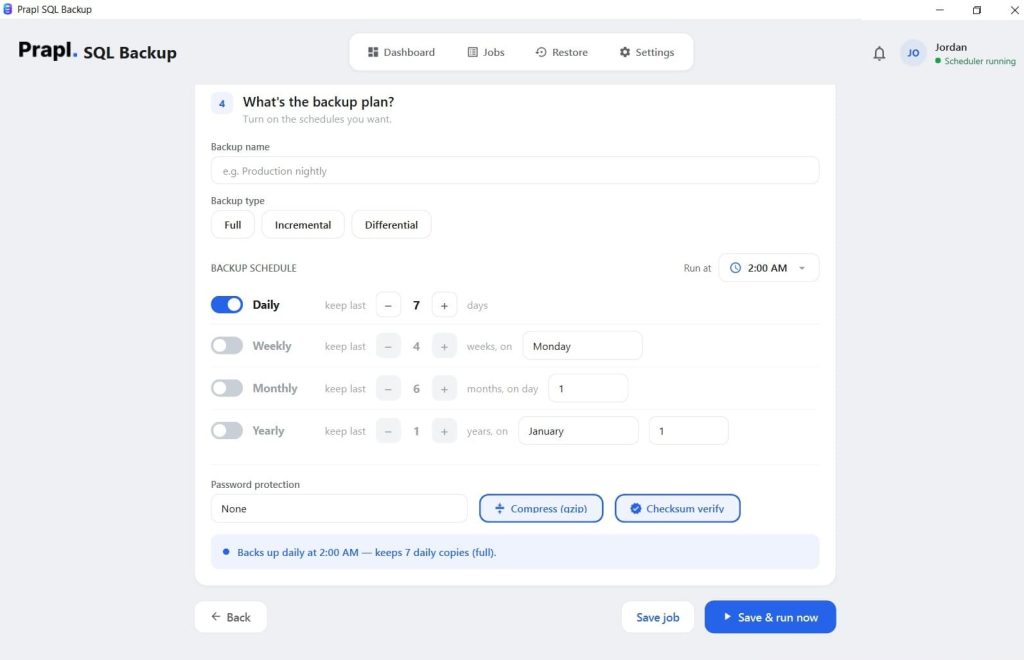
3: Then, set the scheduled backup as per the business requirement.
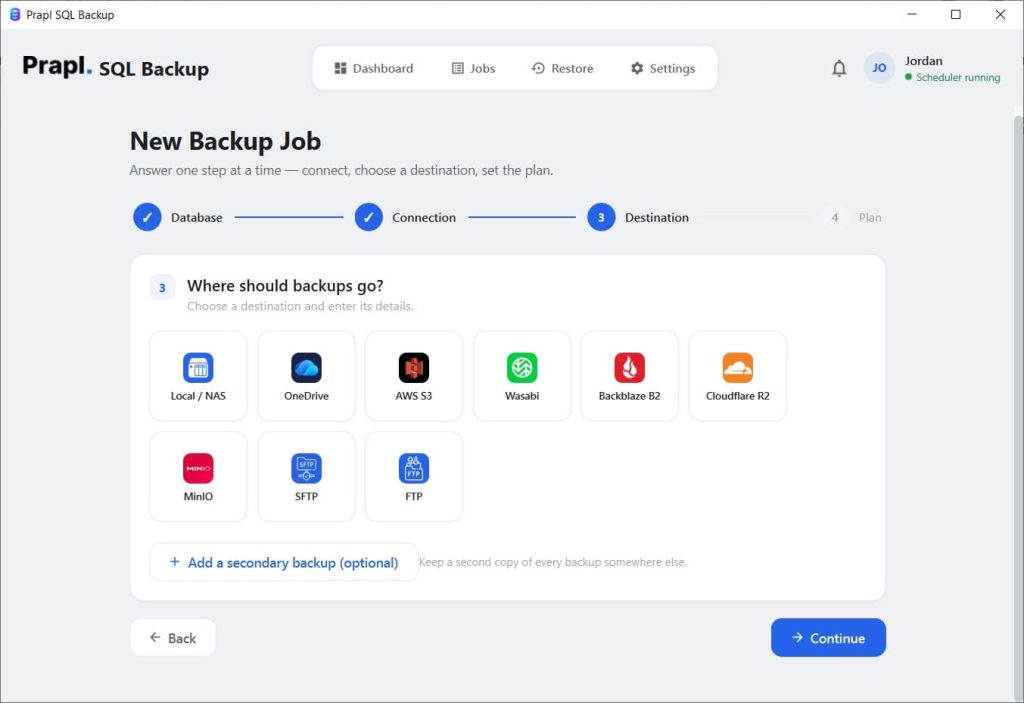
4: Finally, configure retention and run the backup process.
Conclusion
Finding a tool that can make a duplicate of your database is not the only consideration when selecting database backup and restore software for small businesses. Backup scheduling, storage management, backup job monitoring, and data recovery should all be made simpler by a practical solution.
In short, the size of your databases, how often your data changes, your recovery needs, the amount of storage that is available, and the degree of technological know-how inside your company all influence the best course of approach.
Therefore, choosing a tool that suits your small business requirements makes the backup process easier for you. Also, make sure to monitor the backups, store them appropriately, and test restoration regularly. So that, it is available and usable when you need it.