 Abeer Arora
What happens if you find out that your most recent backup was never completed and your SQL database crashes? What if the backup program you select works with your database now, but it doesn’t work with the other database engines your team will be using tomorrow? Or what if navigating a complicated interface and different configuration screens is necessary to set up a basic automated database backup? Thus, having the best SQL database software becomes more important than ever.
Managing an SQL database from Windows doesn’t always require working from the command line. Database management software can make it easier to run queries, inspect tables, manage users, troubleshoot databases, and perform administrative tasks.
However, finding a backup tool is not the only consideration when selecting software for Windows. There is much more to consider.
The good news is that you don’t have to choose from dozens of tools blindly. In this guide, we’ll compare five SQL database backup applications.
What Is SQL Database Software?
SQL database software refers to applications used to:
- Connect to databases
- Write and execute SQL queries
- Browse tables and schemas
- Manage database objects
- Import/export data
- Monitor databases
- Perform administrative tasks
- Manage backups, depending on the software
However, not every SQL client provides the same backup capabilities. Therefore, choosing reliable automated software becomes crucial.
How to Choose the Best SQL Database Software for Windows?
To choose suitable software for your business, consider the following factors:
- Database Compatibility: A tool that only works with SQL Server may not be useful to someone managing MySQL, PostgreSQL, MariaDB, MongoDB, etc.
- Multiple backups: A good backup tool should allow you to automate your backup routine. So, if you use more than one database for your business, then make sure the tool offers an option to backup multiple SQL databases so you don’t have to start every backup manually.
- Backup automation: Don’t forget to check whether backup frequency is available. Can users schedule daily, hourly, or weekly backups, or set custom schedules to meet business requirements?
- Backup types: Make sure to compare whether the software supports full, differential, incremental, or transaction log backups. Don’t just assume every Windows-based tool supports all four. Always check which backup types are supported and whether they are available in the edition you plan to use.
- Storage destinations: Using a tool just for a backup is not the end of the search. The software that allows you to store that backup copy in different destinations matters more. Thus, look for it offers you to save the backup file on local storage, NAS, FTP/SFTP, cloud storage, or S3-compatible storage.
- Ease of Use: Before choosing any SQL database software, make sure to check the interface, query editor, navigation, and learning curve. Gather these details before investing.
- Database Administration: Moreover, consider user management, what permissions it requires, schema management, how you can monitor the process, and query execution
- Backup and Restore: A database management application may provide tools for creating or restoring backups, but organizations that need scheduled, encrypted, compressed, and automatically retained backups may need dedicated backup software. Thus, choose the tool that allows you to backup and restore databases for small businesses, large businesses, or anyone who needs it.
Top 5 Best SQL Database Software for Windows
1. Prapl SQL Backup Tool
Ideal for: Individuals, Businesses, or large organisations. Fully automatic database backup solution.
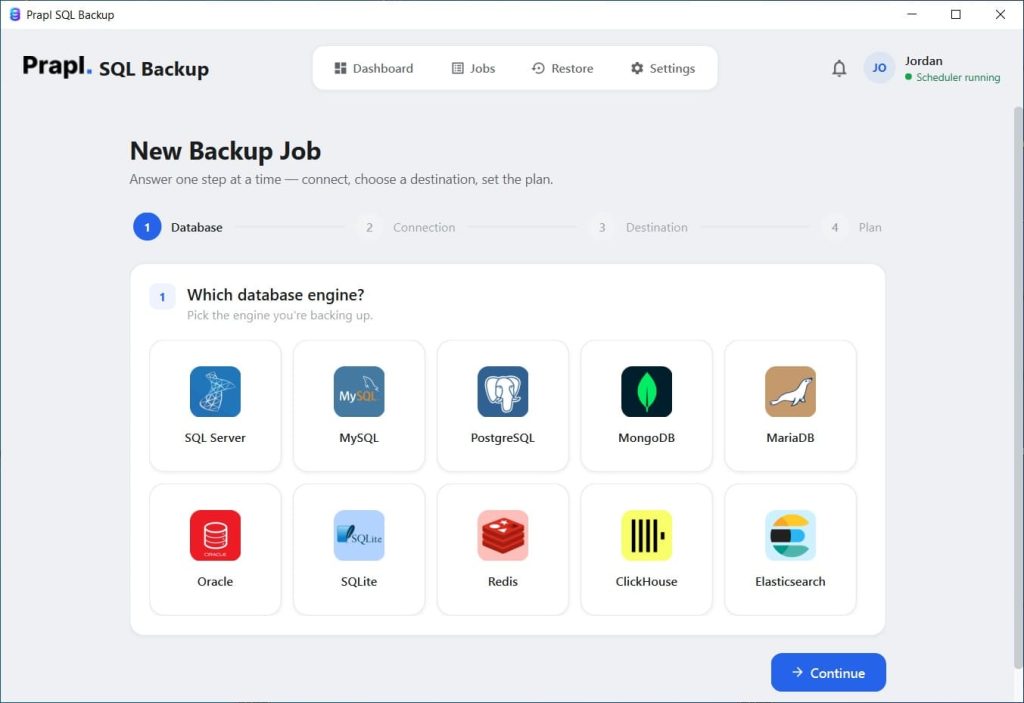
Prapl SQL Backup Tool adopts a distinct strategy. It is a Windows-based desktop program that lets businesses back up to 10 database engines automatically from a single interface. That’s a lot from a single tool available in market. There are tons of amazing features of Prapl SQL Backup Tool. You can download, install and run on your Windows PC easily.
Pros
- Unlimited databases: No limit on the number of databases you can back up.
- Unlimited servers: Add an unlimited number of servers to schedule unlimited database backups.
- Restore Option: Restore a database anytime you want.
- Supports every major database engine: PostgreSQL, MySQL, SQL Server, MongoDB, MariaDB, Oracle, SQLite, Redis, ClickHouse, Elasticsearch, Amazon RDS, Neon, Supabase, and other managed databases.
- Multiple backup destinations: Save backups to local drives or NAS, OneDrive, AWS S3, Wasabi, Backblaze B2, Cloudflare R2, MinIO, SFTP, FTP, and more.
- Flexible scheduling: Run backups manually or automatically on an hourly, daily, weekly, or monthly schedule, with separate retention settings for each schedule.
- AES-256 encryption: Protect backup data with strong AES-256 encryption, while credentials are securely stored in the Windows secure vault.
- Same features across all licences: Every licence includes the full feature set; only the number of machines covered changes between tiers.
- Free updates: Receive updates throughout the entire licence term at no additional cost.
- 24/7 technical support: Get technical assistance whenever you need it.
- 14-day money-back guarantee: Try the software with added peace of mind.
Cons
- Not available for Mac OS
2. SQL Backup Master Application
Best for: SQL Server users looking for a basic backup application.
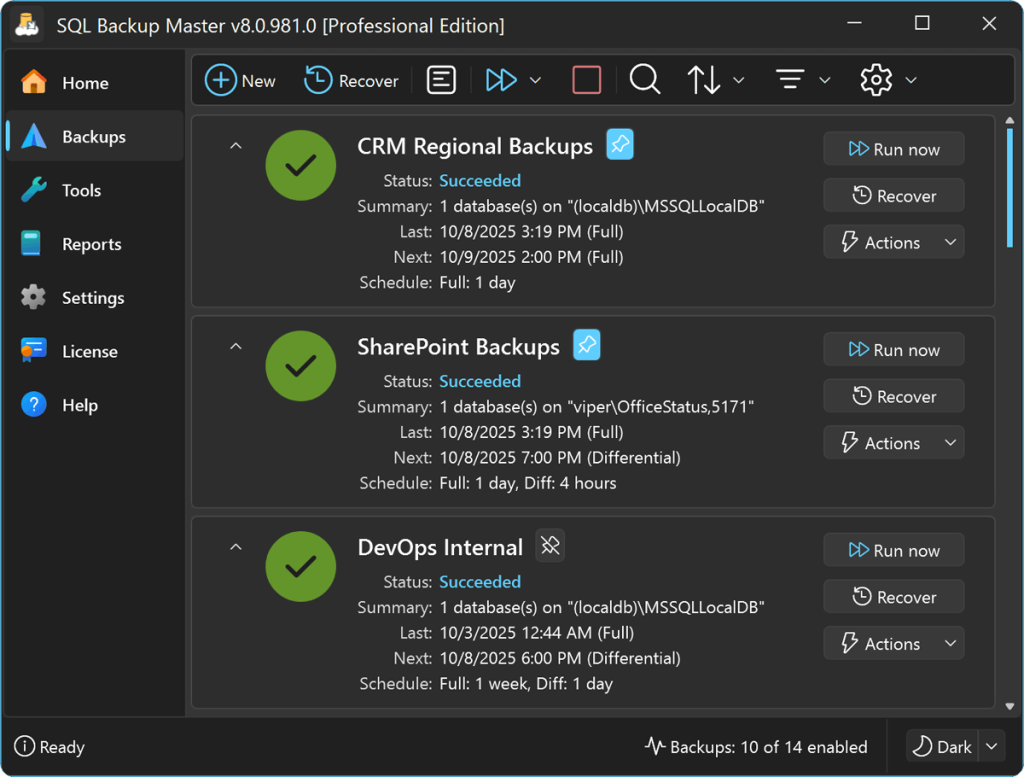
SQL Backup Master is a Windows-based backup application focused primarily on Microsoft SQL Server. It supports SQL Server 2005 through SQL Server 2025, including Express, Standard, Web, Developer, and Enterprise editions.
One of its biggest advantages is its free basic edition. The free version supports full, differential, and transaction log backups, database recovery, notifications, and scheduled backup jobs. However, the free edition is limited to one scheduled backup job.
Pros: The free edition is a significant advantage for users with relatively simple SQL Server backup requirements.
Cons: Its database support is more focused than some multi-database backup platforms. Users who work with several different database engines may therefore need another solution.
3. Zmanda Tool
Best for: Businesses looking for broader backup and recovery capabilities
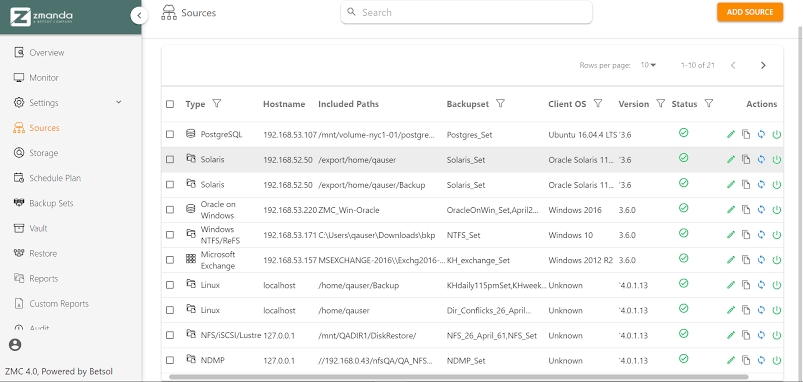
Zmanda takes a broader approach to backup than a simple SQL database backup utility. Its platform covers different workloads, including Windows, virtual machines, databases, applications, and other infrastructure.
For Microsoft SQL Server, it provides database backup and recovery capabilities, including full, differential, and log backups. It offers the trial registration form asks for information, including a name and work email address.
Pros: This tool can be useful for organizations that need to protect more than just databases. Its broader backup platform can cover different infrastructure and workload types.
Cons: The wider range of features can make it more than what a user needs if their only requirement is straightforward database backup on a Windows computer.
4. SQL Backup and FTP Software
Best for: Users who need an established database-focused backup application.
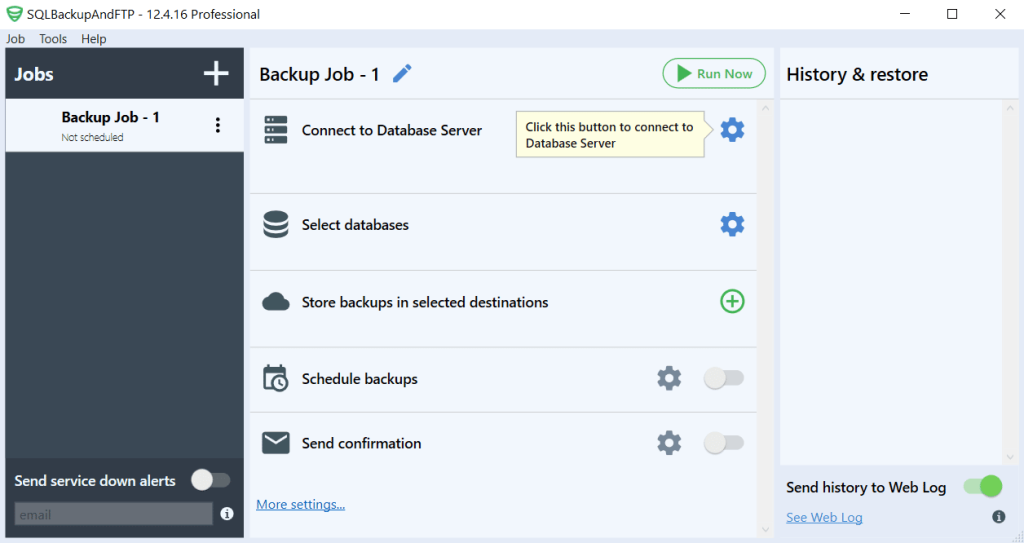
SQLBackupAndFTP is designed specifically around database backup automation. It can automate backups for Microsoft SQL Server, MySQL Server, PostgreSQL, Amazon RDS SQL Server, and Azure SQL. However, the downloaded version of this tool starts with a 14-day Professional edition trial before automatically switching to the Free edition.
Pros: This software has a strong focus on database backup and supports several database engines and storage destinations.
Cons: Businesses with larger environments may need a paid edition to remove limitations around scheduled databases and access additional features.
5. Handy Backup Software
Best for: Users who want database and general data backup in one application.
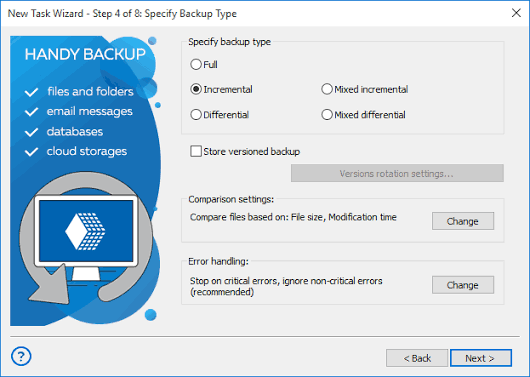
Handy Backup utility is broader than a dedicated SQL backup utility. It can protect databases alongside files, folders, disk images, servers, cloud data, and other sources.
Pros: Its wide range of plugins makes it useful for users who want to manage database, file, and system backups through the same application.
Cons: The broad feature set may be unnecessary for someone who only wants a simple database backup tool. Some database capabilities are also provided through separate plugins.
Why Choose Prapl SQL Backup Tool for Windows?
It is a dedicated SQL database backup solution that offers:
- No sign-up required: With this tool, you get 15 days to evaluate the software before purchasing.
- Easy-to-use interface: Download and test the product without entering credit/debit card information. Backup configuration doesn’t require navigating through an unnecessarily complicated workflow.
- Supports different database engines: Looking for one application that can cover different database backup requirements? This tool is your answer. It provides support for multiple database engines instead of one. So, you can use just one utility instead of relying on separate tools.
- Automated backup management: Scheduling, storage, compression, encryption, retention, and monitoring can be configured automatically as part of the backup workflow.
- AES-256-GCM encryption: Moreover, Prapl SQL backup software protects your sensitive database with its 256-GCM encryption.
- Compression: Even large SQL databases can be compressed by using this tool for a backup.
- Multiple storage: With this application, it becomes easy to save a .bak file either locally, remotely, or to any cloud destination.
- Retention Policies: Keeping every backup forever can eventually consume more storage space. Thus, Prapl allows you to configure retention policies so older backups can be removed automatically according to the selected rules.
So, if your priority is automatically protecting SQL Server databases. A dedicated backup application such as Prapl may be more appropriate.
Conclusion
What you need to protect and how you want to handle your backups will determine which SQL database program is best for Windows.
Prapl adopts a distinct approach by combining different database engines into a single Windows desktop program. Additionally, it offers a 15-day free trial that doesn’t require credit or debit card information; hence, you get to test the program before committing to a subscription plan. For your regular backups, you can use this one.
So, if you oversee several database systems and are looking for a simple Windows-based backup program, Prapl is worth considering in addition to the other choices on this list.
Frequently Asked Questions
Question: What is the best SQL database software for Windows?
Answer: The best software depends on your requirements. There are many softwares available online; however, choosing which one is more suitable for your business involves comparing their pros and cons. Prapl is a good option for users who want a Windows desktop application supporting multiple database engines with automated scheduling.
Question: Can SQL database backups be automated?
Answer: Yes. Most dedicated SQL backup applications support scheduled backups. You can configure a schedule based on your business recovery requirements and let the software run backups automatically instead of starting them manually.
Question: Is a database backup tool better than manual backups?
Answer: Yes. If your SQL database is too large and you don’t want to suffer loss under any circumstances. Going for a backup tool would be a smarter decision than choosing a manual method. For recurring backups, automated software can make the process more consistent because scheduled jobs can run without someone having to remember to start them. It can also provide retention, encryption, monitoring, notifications, and restore features that may require additional work when backups are handled manually.